
Studio Mate
Released — Version 3.5.
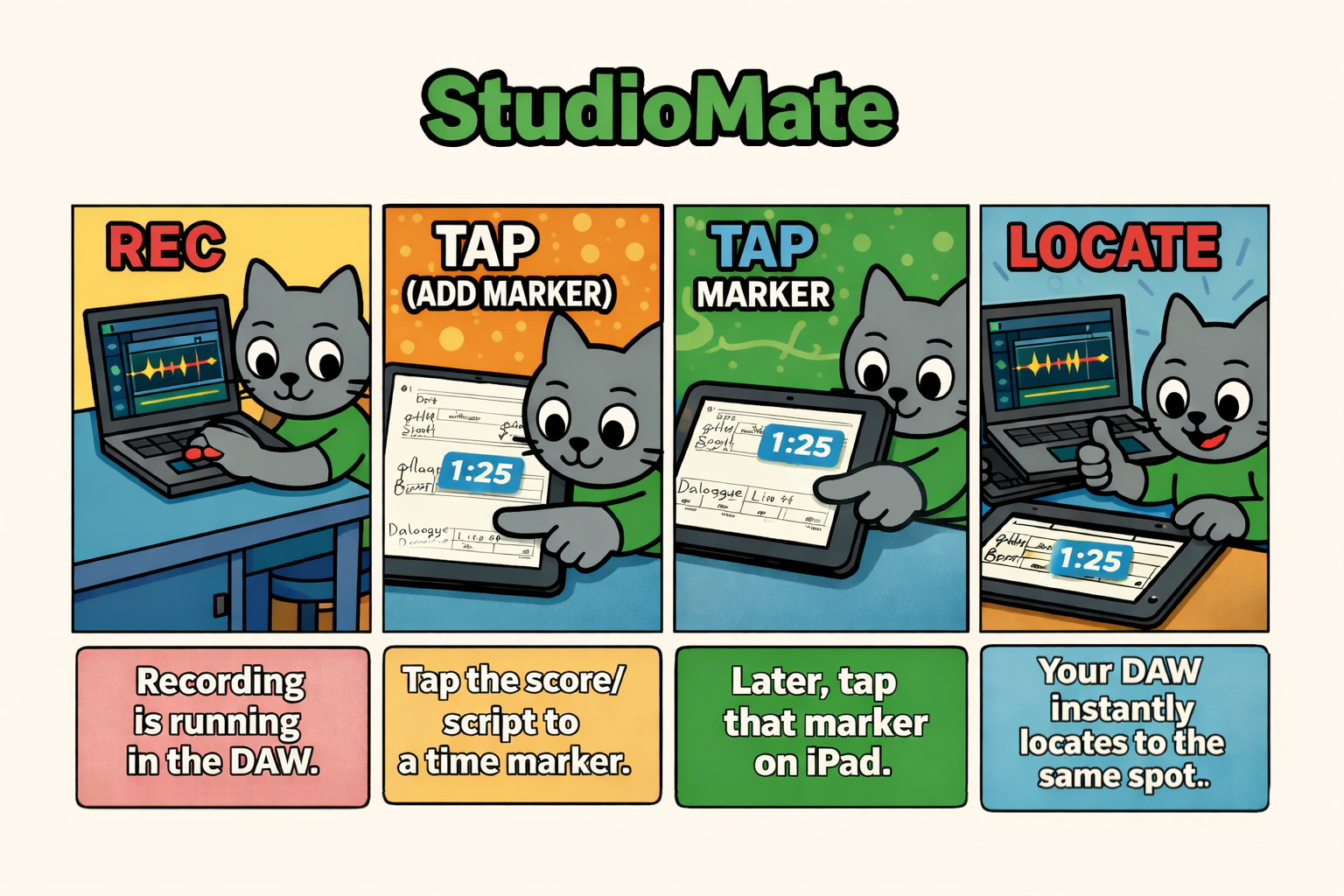
Studio Mate lets you quickly locate your DAW (e.g., Pro Tools) from
timecode markers added on top of a PDF. Use scores, scripts, and
review PDFs “as is” and cut the back-and-forth between recording,
editing, and review. Version 3.5 improves PDF import, sharing, and
export, with a page progress bar, resizable thumbnails, and a Pro
Tools MIDI Input Devices setup guide in Help / FAQ.
iPad + DAW via MIDI (MTC/MMC).
Key features
- Add synchronized timecode markers anywhere on a PDF.
- Tap a marker to jump your DAW to the exact position.
- Toggle between seconds and frames for precision.
- Adjust pre-roll for talent or orchestra sessions.
- Use the built-in stopwatch to mark elapsed time without a DAW link.
Great for
- Take management: Keep OK/NG and retake notes with colors and handwriting.
- ADR / narration: Write timecode directly on script lines in the PDF.
- Pre-production / table read: Rough timing with the stopwatch outside the studio.
- BGM / SE spotting: Mark timecode on a notes PDF and return during review.
- Review sharing: Keep direction notes in the PDF for the next stage.
How it works (quick overview)
Before you start
Please set up a MIDI connection between your DAW and this app.
USB connection (macOS Audio MIDI Setup)
- On your Mac, open Audio MIDI Setup.
- Connect your iPad to your Mac via USB.
- From the Window menu, choose Show MIDI Studio.
- When your iPad appears, enable Audio and MIDI for the device.
Network connection
- Make sure your Mac (running the DAW) and iPad are on the same network.
- On your Mac, open Audio MIDI Setup.
- From the Window menu, choose Show MIDI Studio.
- Double-click Network to open MIDI Network Setup.
- If there’s no Session, create one. Then select your iPad and click Connect.
DAW settings
- Set MTC Generate Port to the iPad.
- Set MIDI Machine Control Remote to its default value.
- Turn MTC Generate ON.
Note: wireless MIDI can work, but USB tends to be more stable if your iPad sleeps.
How to use
- Draw with Pen on the PDF.
- Tap to add a timecode marker.
- Double-tap a timecode marker to edit.
- Long-press a timecode marker to move it.
- When the DAW is stopped, tap a marker to locate your DAW to that position.
Interface shortcuts
Bookmarks
Tap the bookmark icon to open the bookmark list for the current PDF.
Document switcher
Tap the PDF title in the toolbar to open the list of recently opened documents.
Pen & label tools
- Long-press the tag icon to toggle Finger / Pencil mode.
- Double-tap any pen or label icon to open its settings menu.
Editing swatches
- Double-tap any pen or label icon to open its settings menu.
- Tap Edit to enter swatch edit mode.
- Use the color picker to create the color you want.
- Long-press the swatch you want to replace to save the new color.
- Tap Reset to restore the default swatch set when needed.
Release history
Current release. Released on August 28, 2026.
- Import PDFs from Finder on your Mac to iPad.
- Share PDFs with editable annotations or export flattened copies for wider compatibility.
- Navigate more easily with a page progress bar and resizable thumbnails.
- Help / FAQ now includes a Pro Tools MIDI Input Devices setup guide.
Current release. Released on 2026-07-26.
- Added support for displaying PDFs containing annotations added in other apps.
- External annotations can be viewed but cannot be edited in Studio Mate.
Previous release.
- Improved workspace operations for smoother session handling.
Previous release. Released on 2026-04-02.
- Minor bug fixes.
Support and notes
- Quick guide and FAQ are available in the in-app Help.
- Send feedback through the in-app feedback form.
- Without a DAW link, the stopwatch logs marks but does not control the DAW.
- DAW locate assumes MIDI/MMC/MTC control and may require setup.
- Supports common timecode frame rates; match your project settings.
Terms of Use (EULA): Apple Standard EULA
FAQ
Nothing happens when I tap a marker.
Make sure your MIDI connection is active and your DAW is configured for MTC/MMC as described above. Also confirm your DAW is stopped when tapping a marker (locate is intended for stopped state).
Network MIDI disconnects sometimes.
Try USB if possible. If you prefer network MIDI, keep the iPad awake and avoid switching Wi‑Fi networks.
How do I send feedback or report a bug?
Email kjdevapphelp@gmail.com and include: app version, iPadOS version, and steps to reproduce.